Category: Tools and Sites

  • Create your own magazine or newspaper

    Create your own magazine or newspaper

    I am on an ongoing quest to make technology my friend and not my foe (see Techs and Balances).  Lately, my favorite technology friend-maker is Flipboard.

    I’m seriously late to the game on this one.  Apple named it App of the Year….in 2010, and Time proclaimed it one of the Top 50 Innovations…once again, in 2010.

    So I’m 2 years behind?!  Whatever…in my everyday life, I couldn’t find one person I know who was already using Flipboard.  So either we’re all collectively living in the dark or it’s just not mainstream, yet.  Well, as I promised you, when I find something incredibly sensible and useful, I will share.

    What is it?

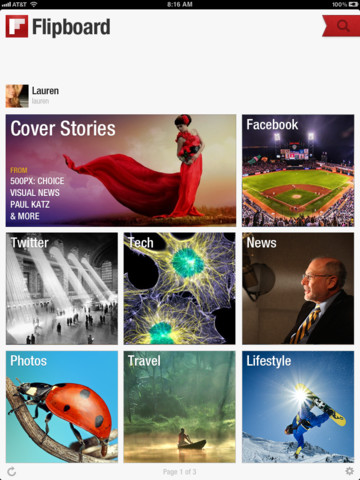
    It is a social media and news aggregator that puts all the stuff you already like to read and put it into a pretty format.  In fact, that pretty format looks remarkably like a magazine complete with “flippable” pages.  So you can basically be your own magazine editor, which always sounded like a pretty cool job to me.

    How does it work?

    You create a Flipboard account and sync it to social media (Facebook, Twitter, LinkedIn, etc) and then you add categories (News, Recipes, Lifestyle, etc).  Flipboard puts it all together so that you can access all of this content in one graphically pleasing spot.  Flipboard saves you from having to visit multiple sites and is ten times better than just using “bookmarks”or “favorites” on your web browser.

    In the old days of “favorites” or “bookmarks” you had to do all the work by individually visiting the sites you liked.  Now, Flipboard brings the content of your chosen sites and/or categories and brings it to you, in addition to providing you other content it thinks you may be interested in.  I like things that do work for me.

    Each category or source is displayed as a pretty little box on your Flipboard pages (so far you only get 2 pages).  You can “flip” the pages like a real magazine, and you can even save an article to read later by using the ReadItLater option (more on this below).
    What devices is Flipboard compatible with?
    iPad and iPhone.  Coming to Android soon.  Not sure if it is coming to Kindle.

    Are there are other apps like this?

    RSS:  “Really simple syndication” is a way to follow blogs or sites, similar to the bookmark concept, but it pulls the information together in a standard simple text format without all the pretty images and layouts.  Most sites now have an icon called a “chicklet” that looks like this:  .  Clicking on this button will let you subscribe to get updates on when there is new content on that site.  These subscribed updates are typically called feeds.  To access your feeds, you’ll need an RSS aggregator or feed reader.  Such as…

    Google Reader:  If you have a Google account, you can sign up for Google Reader which will aggregate your RSS Feeds based on when each is updated.  Unlike Flipboard, it doesn’t add any other things for you to read and the layout is very basic.

    Zite:    This app populates your Zite page with content it thinks you would like based on what you’ve already put into your Google Reader and what kind of Twitter feeds you subscribe to.  If you don’t subscribe to these things, Zite will still let you setup an account, and you can manually choose which categories you want to follow.

    Zite uses a special algorithm to figure out what content you’d like, and then delivers that to you, as well.

    One advantage Zite has over Flipboard is that it puts the original article in its entirety in the app, while Flipboard often makes you read the rest of the article in a browser.  The layout is prettier than Google Reader, but not as flashy as Flipboard.

    GoogleCurrents:  this is Google Reader’s attempt to be more magazine-like.  Like Flipboard, you can sync with social media, but it doesn’t really support Facebook choosing instead to try to focus on and push Google+.

    There is also Pulse, which is similar to Flipboard.  I haven’t downloaded this, so I can’t really opine on it, but it seems to be the 3rd most-liked news-aggregator based on my informal internet research.

    What if I see something I want to read but I don’t have time to read it now?

    Flipboard lets you opt to “Read it Later” using either Instapaper or Pocket (aka Read it Later).

    Both of these are services that enable you to save web content in one area for you to read it later.  Once saved, you can login to these services and read your saved material even without an internet connection.  Both of these are great, not just for Flipboard, but for any web browsing.

    Can I make SensibleSusan a Category in Flipboard?

    Absolutely!  In Flipboard, there’s a red ribbon in the upper right hand corner than lets you add sources.  You can type “http://sensiblesusan.com/feed/” into the Search field and SensibleSusan.com should pop up.  Click on my blog and it will come up in Flipboard.  There will be a button on the upper left that says “Add”.  Click this and you will have added SensibleSusan to your Flipboard.

    In addition, if you want the RSS Feed to access through some other reader, just click on the RSS button on the sidebar to the right of this site.

    What are the limitations?

    Flipboard is only available on iPad, iPhone and Android as of now.  It would be great it there was a desktop version, as well.

    Bottom Line:

    Google Reader is the easiest way to aggregate RSS feeds but it looks the least exciting since all feeds are converted to plain text.

    Zite makes your life easier by bringing content to you and putting it into a newspaper-like format.

    Flipboard also makes life easier by bringing content to you, but it incorporates social media, too and looks more like a magazine.

    Personally, I like to use Flipboard to read mostly fun, image-driven content and Zite to read news.  In other words, Flipboard is my magazine and Zite is my newspaper.

    I have only presented a handful of the options out there.  I’m curious to know what you’re using that you think is great  – please share!

    *Oh, and in case I didn’t make it clear enough above, please make sure to sign up for your SensibleSusan updates either through email  or RSS (see the sidebar where you can put in your email address or click my chicklet).
  • I’ve been given the Versatile Blogger Award!

    I’ve been given the Versatile Blogger Award!

    This is not an April Fool’s Joke – I’ve actually been nominated for an award.  Thank you Peace, Love & Fabulous Things for giving me the Versatile Blogger Award!

    First of all, I haven’t been nominated for an award since I was a kid.  Second of all, I can’t believe anyone cares what I have to say, especially enough to give me a shout out!

    What is this Versatile Blogger Award? This is the way it works:

    If you are nominated, you’ve been awarded the Versatile Blogger award.

    • Thank the person who gave you this award. Again, Thank you to the very clever and creative Rachel at Peace, Love & Fabulous Things
    • Include a link to their blog.
    • Next, select 15 blogs/bloggers that you’ve recently discovered or follow regularly.
    • Nominate those 15 bloggers for the Versatile Blogger Award
    • Finally, tell the person who nominated you 7 things about yourself.

    So, I will pay it forward.  I therefore nominate the following bloggers:

    1. TrishaDM‘s blog “At least we made it this far…”:  She’s a 4th yr Medical student passionate about Palliative Care and insightful on a daily basis
    2. Scout & Nimble:  Great looking blog with creative and stylish crafts  – she’s inspired me to attempt a few crafts.  Stay tuned, I’ll post results on my success…
    3. The Blumen Art Gallery:  a US woman’s musings on life in Germany
    4. Can You Stay for Dinner?:  another sensible woman who lost 135lbs and gained a healthy attitude towards food and exercise.  Great recipes and stories.
    5. Robotic Rhetoric:  very witty and insightful social commentary from an 18yr old in the UK who seems wise beyond his years
    6. A Detailed House:  great site for design lovers
    7. PaltryMeanderings of a Taller Than Average Woman:  a fellow tall woman’s take on life and society with a heavy dose of sarcasm…my kind of girl
    8. LeZoeMusings:  another mom and creative type who posts beautiful pictures, particularly of little house projects

    I realize that’s only 8 bloggers.  I think 15 is kinda a random number and I should get to choose how many I want to nominate.  As I see more blogs I like, I will certainly give them a shout out….

    And, in case you care, here are 7 things about myself you probably do not know:

    1. I wanted to be an architect growing up and preferred going on home tours to sleepovers
    2. I’ve played classical piano since I was a kid and have been desperately trying to learn jazz piano….it’s all in an attempt to loosen up, which I’m not good at
    3. If I had to do it all over again I’d be an entertainment reporter.  Who knew there’d be so many outlets for it?  E! News if you’re reading, we can arrange something!
    4. I haven’t lived in the South for over 10 years and I have lost any accent I ever had, but I miss it greatly!
    5. I saved my parents a ton of money by closing the gap in front 2 teeth by wrapping dental floss around them and pulling it tight every night.  You’re welcome Mom and Dad!
    6. I have won several belly flopping contests, but not since the age of 12
    7. I think it would be awesome to be known as Sexy Susan or Super Funny Susan, but I’m just Sensible Susan and I’m okay with that.

    So thanks again Peace, Love & Fabulous Things for the award and thanks to everyone who has been reading the blog.  It’s been a really fun outlet, and I look forward to sharing more with you all!

    Here’s your chance to tell me how you really feel – I’ve created a little poll to see what you’d like more of here at Sensible Susan.  Please take a minute to vote and feel free to comment with your own personal requests.  I look forward to hearing from you!

  • How did I ever live without Evernote!

    How did I ever live without Evernote!

    You know how gamers get all excited about the latest “World of Warcraft” or Apple addicts will wait in line for days for the latest iPhone?   I’m not that fanatical about most things, but I do get very excited when I hear of a new organizing tool.  You heard me – “organizing”.

    It’s not super sexy or cool, and I won’t go showing off my new organizing tool to my friends like the latest Apple product, but it gives me a delightful feeling when I am one step closer to being the organized person I always dream about.  (My dreams are often more colorful than that, but I’ll save that for another post!)

    I have been in search of the perfect organizer since middle school.  I have tried most of them all – “Babysitters Club” organizer in middle school, “At-a-Glance” in high school, “Franklin Covey” in college and on my first job, and all the electronic versions in my 20s, including the Palm Pilot.

    Most of these organizers are limited.  Each has a calendar section and often a note section.  The note section is usually little more than a pad of paper with lines.  There is no easy way to organize the notes once taken.  I started using spreadsheets to keep my notes, too.  While I am also an Excel jockey, who loves her spreadsheets, even these can be limiting since they are hard to access away from a PC or laptop.

    In today’s world, we’re working and thinking in several places – at home, in the car, at work, on the train or plane and in line at stores.  Wouldn’t it be great to have an organizing tool that not only organizes our notes, but also has them handy for us no matter where we are?

    That something is Evernote!

    If you haven’t tried it, you must.  It’s an application with a web component that syncs to all your devices where you have Evernote loaded.  I have it on my PC at work, at home, on the laptop, on my iPad and my smartphone.  It also has a web clipper, which makes it super easy to store online content.

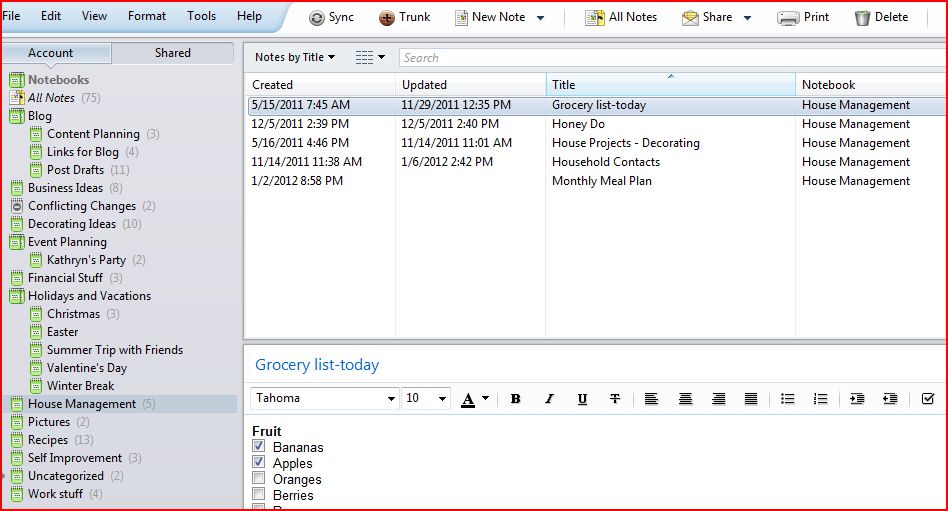
    You can create “Notebooks” to help organize the notes and tag the notes for easy searching.  There can also be parent Notebooks that other Notebooks are filed under.  You can also share “Notebooks” if you’re working on a project with other people.

    You can take a picture of something and store it as a note, and Evernote will read the text.  This has been great for recipes, receipts and business cards.  Do your kids bring home a ton of paperwork?  Scan the paperwork into Evernote and store it in a Notebook for each kid.

    You don’t even have to login to Evernote to save something there – you can email it to your Evernote account.  Each Evernote account comes with a unique email address for you and you can store this address in your contacts, give it an appropriate nickname (like “Evernote”) and then quickly email what you want and have it stored into the appropriate notebook.

    Some of My Notebooks:

    Blog – ideas and drafts of Posts

    Business Ideas – a place to put seedlings of ideas and a place to start finally planning my new business

    Decorating Ideas – save snapshots from stores or online and stores floor plans

    Financial Stuff – use this to store tips I read online to remind myself to review portfolio, etc

    House Management– this is where the Honey Do list is stored (shared with my husband), I also maintain a contact list of all handymen, contractors, plumbers, etc.

    Event Planning – I planned my sister’s 30th Birthday party in this Notebook including planning decorations, menus and with links to ideas

    Holidays and Vacations – research places to go, organize times and accommodations.  Each holiday or vacation has a designated notebook, so I can store to-dos and gift lists.

    Recipes – recipes and grocery list template that I print each week and store inside our pantry.  I also store weekly or monthly dinner plans here.

    Right Now – this Notebook is for my daily to do list

    Self-Improvement – a place to store inspiring articles, words of wisdom and reminders of what my goals are

    Work Stuff – since my company doesn’t offer remote access to its system or cloud computing, I will store articles to read and files to use at home here

    Evernote also has a voice-activated ability to create notes.  I haven’t tried it yet, but I have read a lot of good things on it.  Imagine using this as a way to start your novel, record articles or blogs or even make a list of things to do in a shared notebook.

    I’m not the only one raving about this sensible tool!

    Take a look at who else cares:

    My sorority sister’s website is what first turned me onto Evernote:  Organize for Success

    10 Tips on How to Use Evernote

    CNET editors give Evernote 5 stars

    Wall Street Journal review

    Also, you may be wondering how Evernote compares to Pinterest (see my post from the other day:  Pinterest Rocks).

    Think of Pinterest as your Creative Director and Evernote as the Chief Operating Officer.  Pinterest is all about visual ideas and inspiration, although stored and edited in an organized way.  Evernote is about realizing those visions and coming up with a plan of action.  Also, Pinterest is a social network and Evernote is only shared with whom you choose.  Both tools are great in their own ways, and since both are free – you should take advantage!

  • Pinterest Rocks

    Pinterest Rocks

    One of the most useful and fun websites I have found this year is Pinterest.

    It’s beautiful, full of information and like the combination of all your favorite magazines and websites rolled into one.

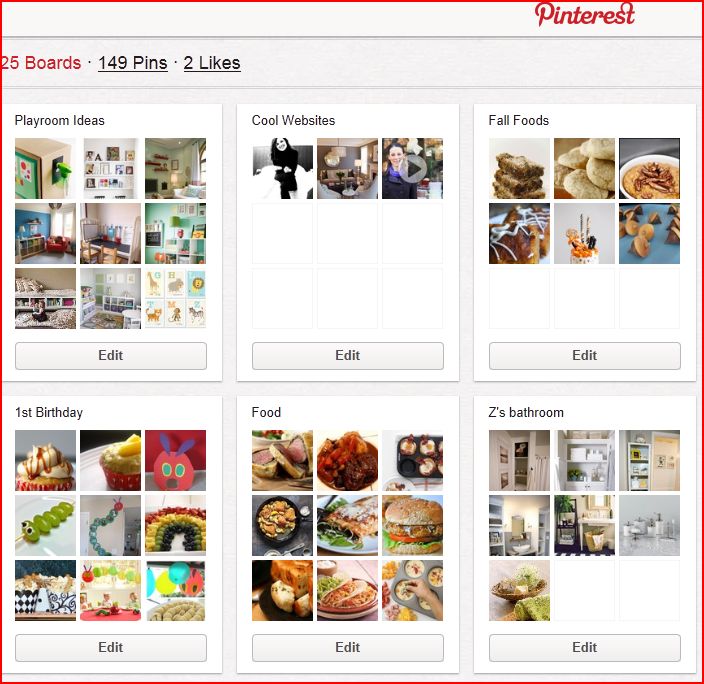
    So, if you don’t know already, Pinterest is an online bulletin board that let’s you create Pins and Boards.  Your Boards are categories that you customize (like Food, Style, Books, etc).   Your Pins are the items that you “pin” onto your board.  So a good recipe might get pinned onto your “Food” board or you might “pin” your favorite book onto “Books to Read”.

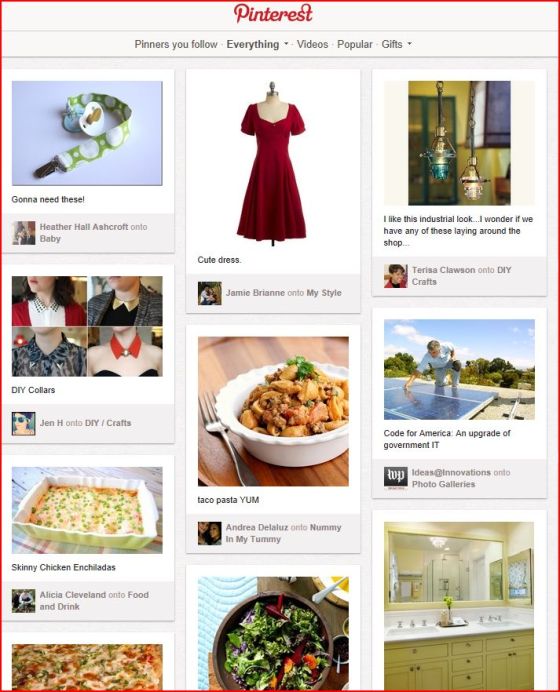
    Part of the fun is perusing the Pins and Boards of other Pinterest members.  Each Pinterest member is like a curator of their personal interests and you can follow any  pinner you want.

    I have found it most useful for organizing the things in my life that I relate to by pictures, such as recipes, decorating, party planning and gift giving.  See a snapshot of my boards below:

    Great uses of Pinterest:

    1.  Wedding planning – instead of cutting magazine clippings, make a Pinterest board with pictures of flowers, tables, dresses, hair styles, etc.  This saves the bridge from having to lug around a ginormous binder to her stylist, wedding planner, caterer and others.  It also is an easy way to share with friends, bridesmaids and mothers.

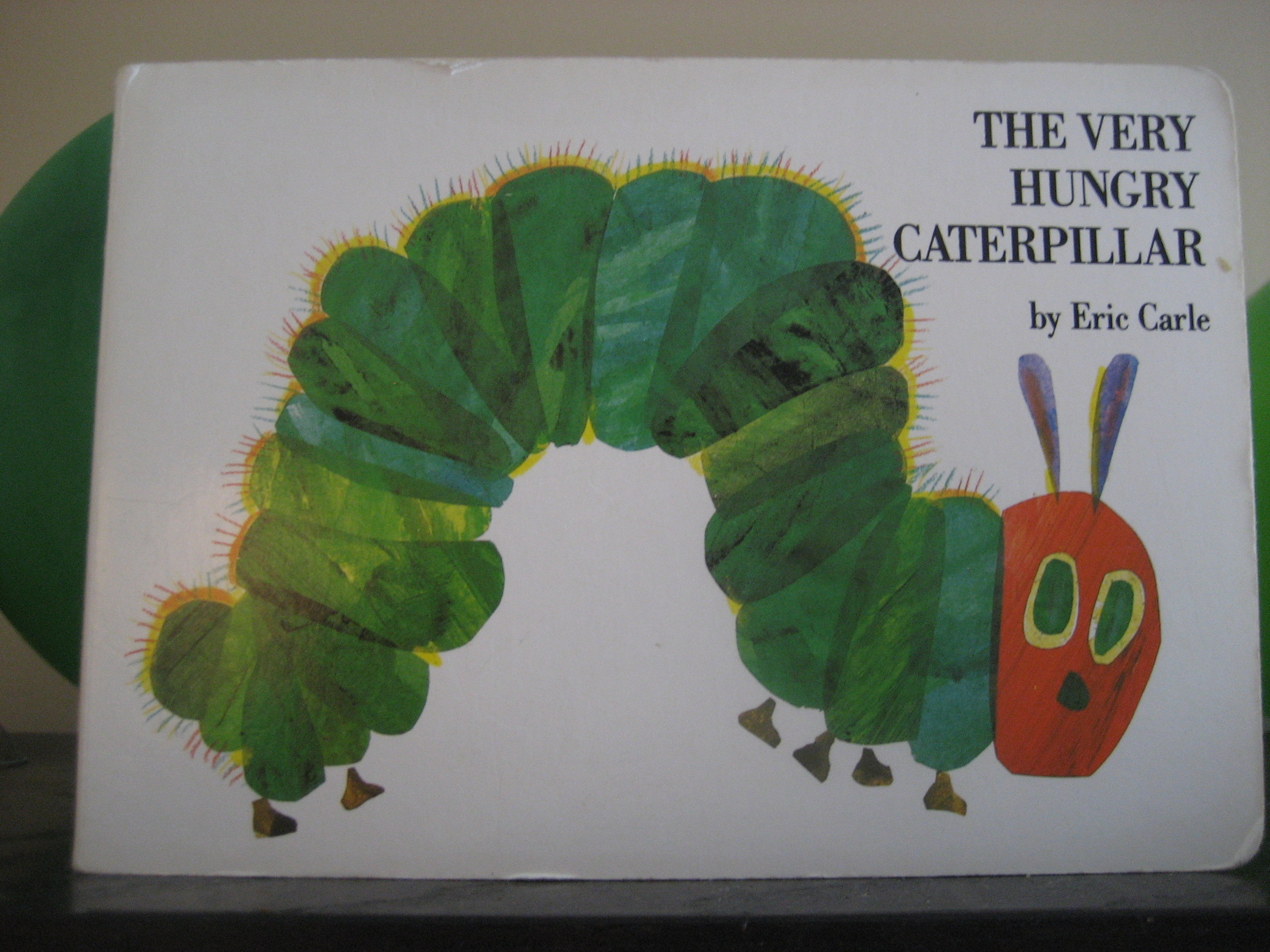
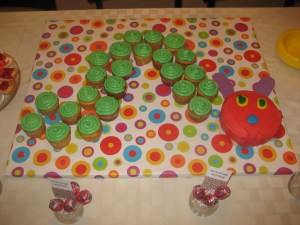
    2.  Event planning – I found inspiration for my son’s 1st birthday on Pinterest and created a Board just for the planning of his “Very Hungry Caterpillar” themed party.  It was a huge time saver and resulted in a really cute party (see caterpillar cake we made below)!


    3.  Decorating – Pinterest is visibily very appealing to look at and is best for any part of your life that is visual, such as decorating.  Create a Board for each room in your house.  Helping a friend decorate her home?  Then create a board for her and have her follow you.  The website is particularly useful for budget-friendly or DIY tips.

    4.  Gift giving – Store links and photos of cool gifts you find online and save them on a Board either for each person or each occassion.  When that date pops up, click, purchase and become a great gift giver!

    5.  Creative inspiration – I wanted my mother to do a painting of a dogwood (the state flower of my home state, NC).  I found several photos and inspirational paintings to put on a Board and shared the Board with her.  I’m still waiting on that painting…

    The list could go on and on.

    For now, there’s a slight air of exclusivity to the site – you must be invited to join.  You probably already know at least one member, so it’s not a big deal to get an invitation.  If you need an invite, contact me.

    *WARNING*  This is a highly-addictive site, so if you’re attempting to use the site for to be better organized and get more stuff done, enter with CAUTION!

    From personal experience: a lot of the DIY pins seem super cool and easy.  I have a nice collection of DIY pins on my “Crafts” board.  I started one of those projects (using used toilet paper rolls) in August and have yet to complete it.  So while the website may give great inspiration, you still have to rely on yourself to follow through….